
FILEZILLA
Filezilla download filezilla here
UPLOADING A WEBSITE IN 3 STEPS
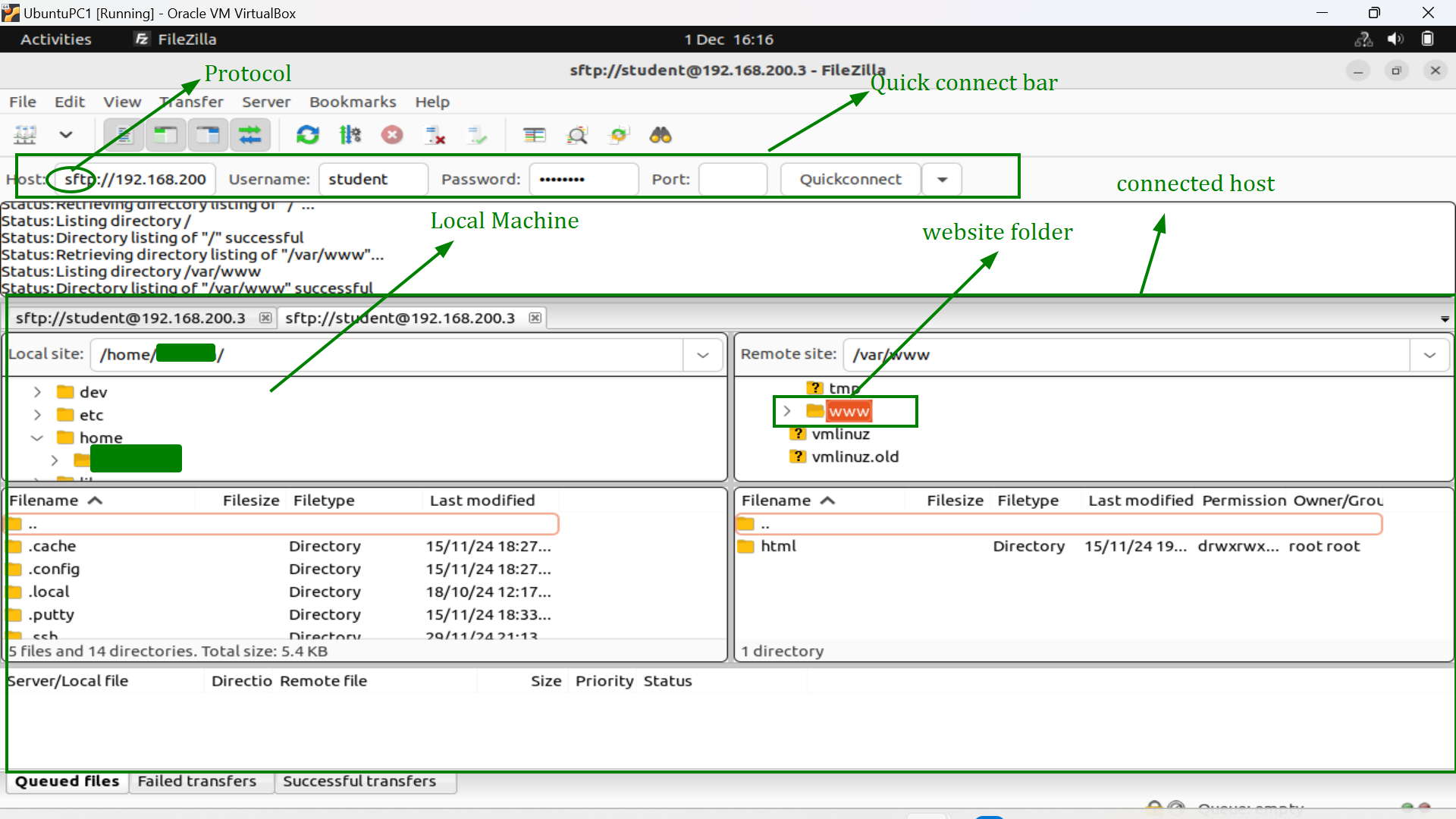
- STEP ONE: Connect with your host. This step involves entering the following details in the quickconnect bar
- Hostname: protocol username@example.org or ip address example:
sftp://myname@192.168.300.2 - Username: Page - This is the username of the host you are connecting
-
Password: 89hgnsdk - This is the password of the host you are connecting
NOTE: In this example, we are connecting with an Ubuntu 16.04 server and the protocol requires sftp.
- Hostname: protocol username@example.org or ip address example:
- STEP TWO: Navigate to the right directory for the website. In this example it is /var/www.
- STEP THREE: Drag and drop files from your local machine to the connected host.
 NETWORK SEGMENTATION