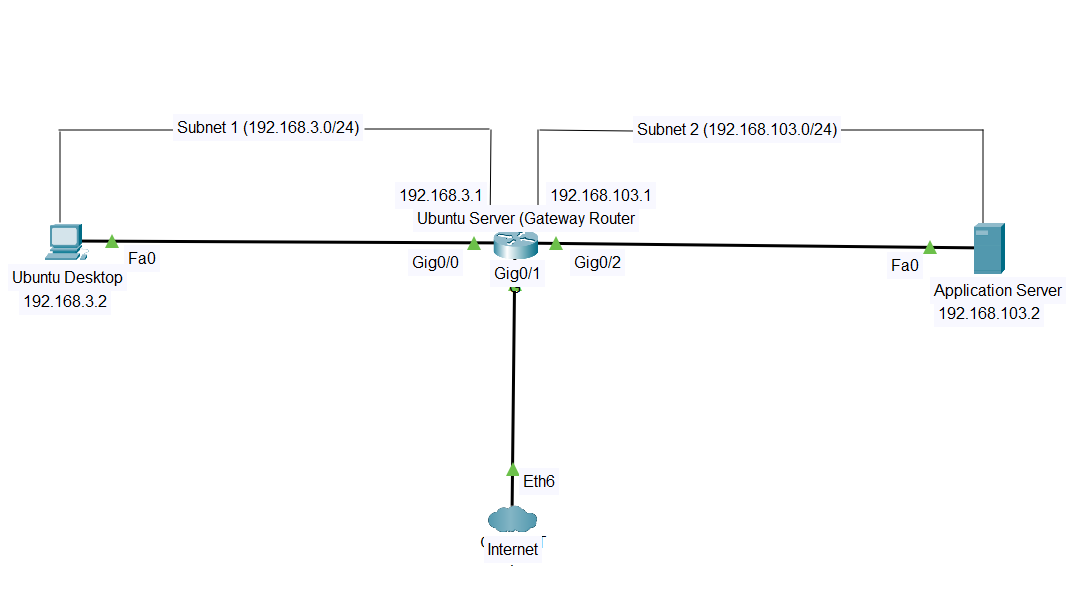
NETWORK SEGMENTATION
WHAT IS A SEGMENTED NETWORK
Also known as network segregation, network segmentation is a computer networking practice that involves divided a computer network into smaller part.
PURPOSE OF SEGMENTING A NETWORK
- Improve network performance
- Enhance network security.
REQUIREMENT
- A Gateway Router
- Ubuntu Desktop
- Ubuntu Server 16.04
NOTE: This setup leverages some previous configuration shared on this platform. click links to access them.
STEPS
GATEWAY CONFIGURATION
- Add another interface to the A Gateway Router
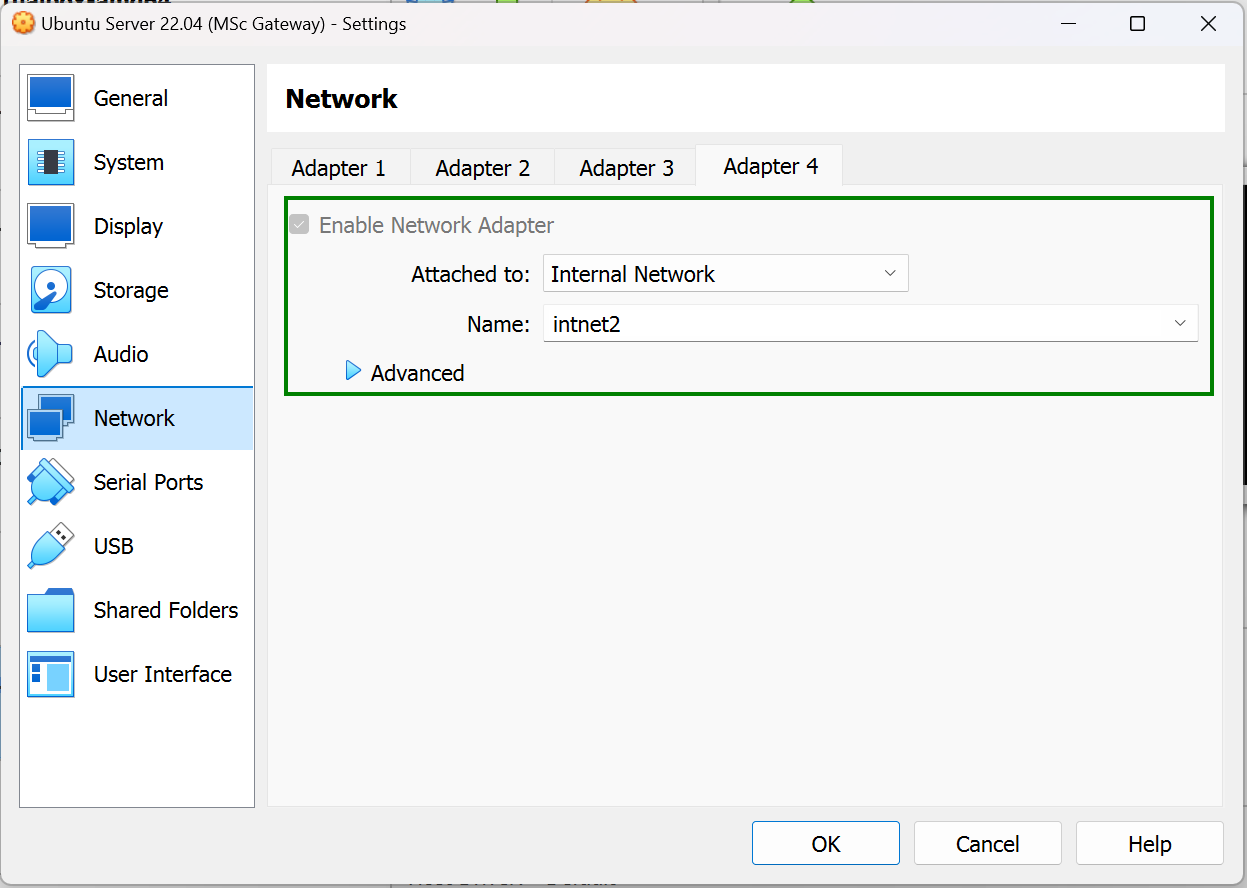
- confirm the name of the interface using ip a in your router terminal.

- Configure the new network interface with a static ip address (192.168.200.1) using
sudo nano /etc/netplan/00-installer-config.yaml
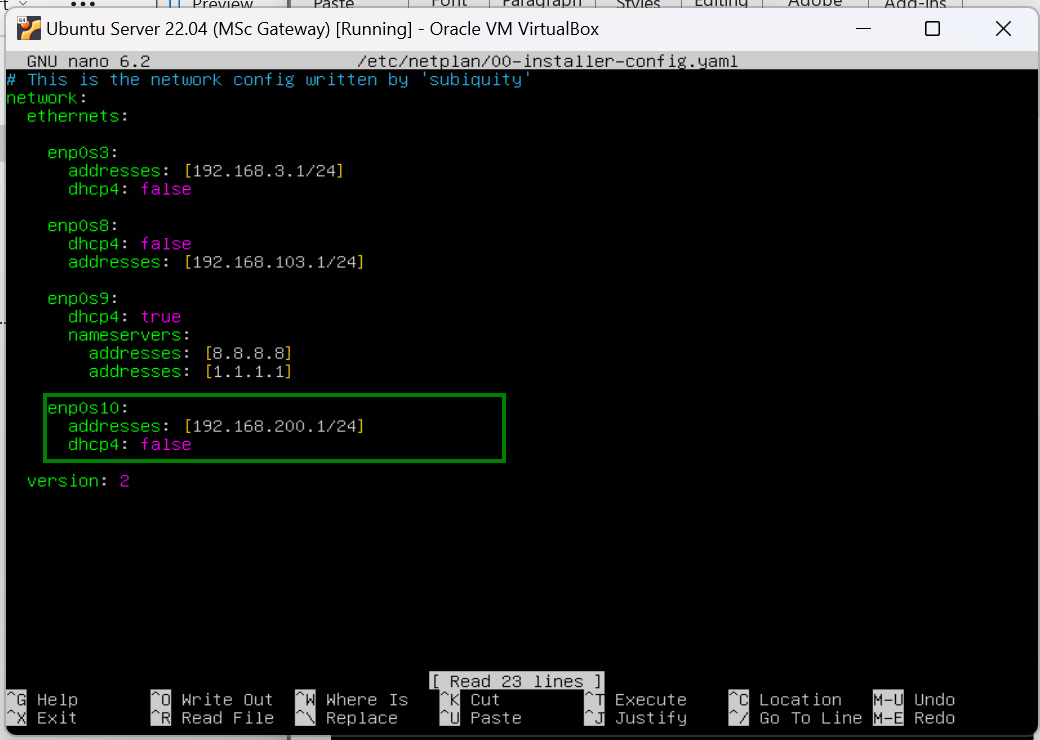
- Apply the changes by typing
sudo netplan apply
- Route Traffic Between the Ubuntu Desktop VM And The New Interface.
NOTE: The Ubuntu Desktop VM is connected to the interface enp0s3 of the Gateway Router, so we need to route the traffic between enp0s3 and enp0s10 (the new interface) for the Ubuntu Desktop to be able to communicate with other machines on the new subnet (192.168.200.0/24)
Enter the command
Sudo iptables -A FORWARD -i enp0s10 -o enp0s3 -j ACCEPT
Sudo iptables -A FORWARD -i enp0s3 -o enp0s10 -j ACCEPT
- Apply Changes
Sudo apt install iptables-persistent
Sudo netfilter-persistent save
Sudo netfilter-persistent reload
UBUNTU SERVER 16.04 CONFIGURATION
- Configure the Ubuntu Server with two network interfaces.
- Add one to the appropriate internal network (intnet2 in this case). intnet2 is the new internal network created by adding a new interface to the gateway router.
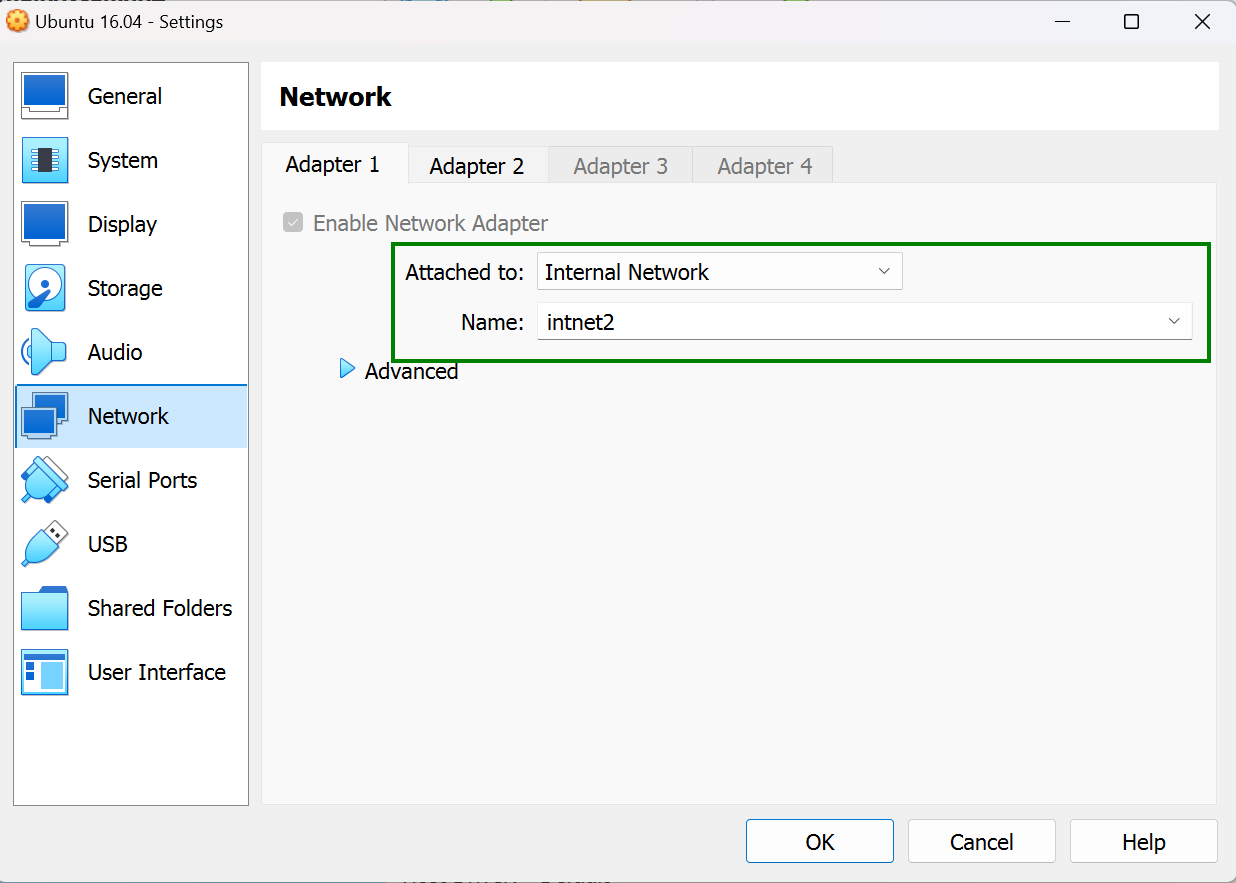
- Configure the second interface with a “Bridged Network”
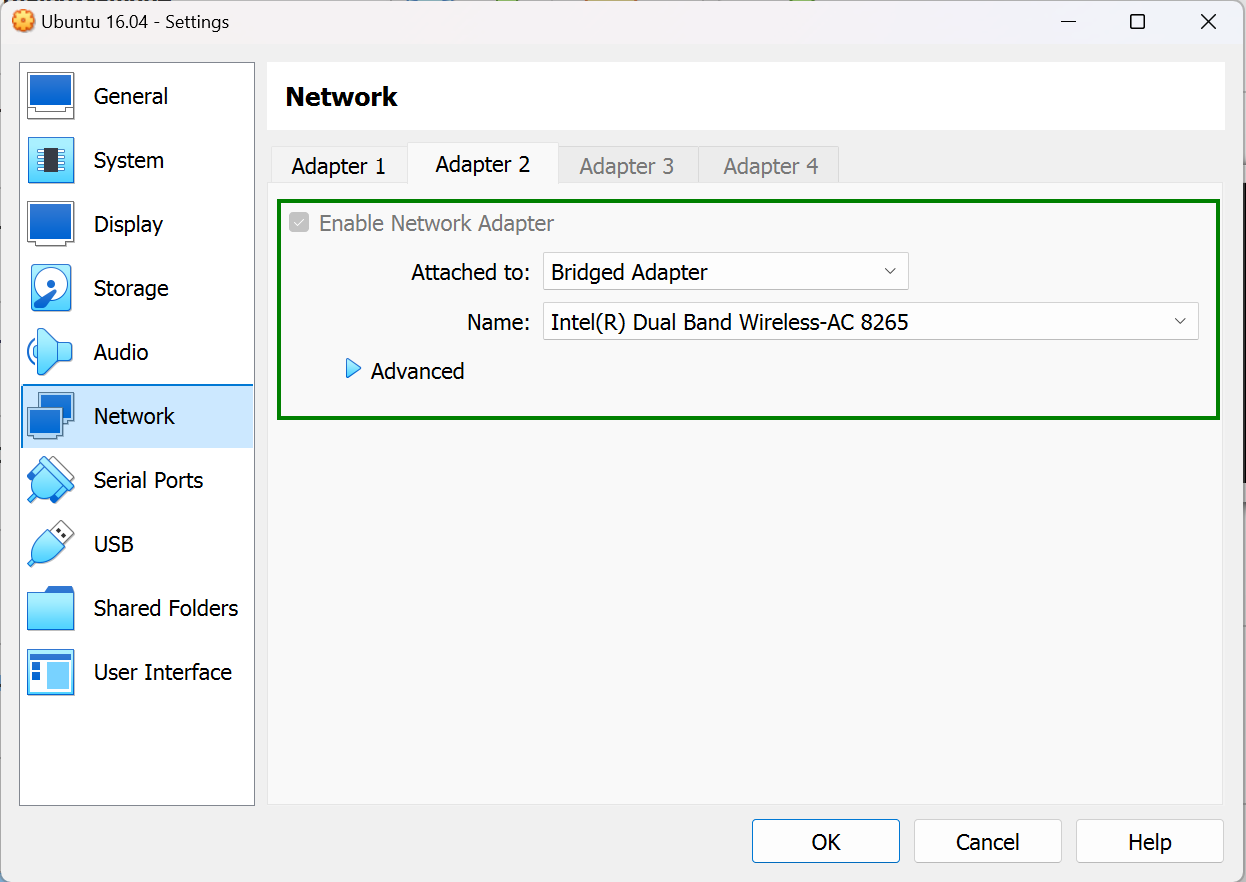
REASON:To let the VM act as if it were a separate physical machine on the same network.
- Assign a static ip address (192.168.200.3) to the Ubuntu server using the same subnet as the new interface on the gateway router.
Use sudo nano /etc/network/interfaces to achieve this.
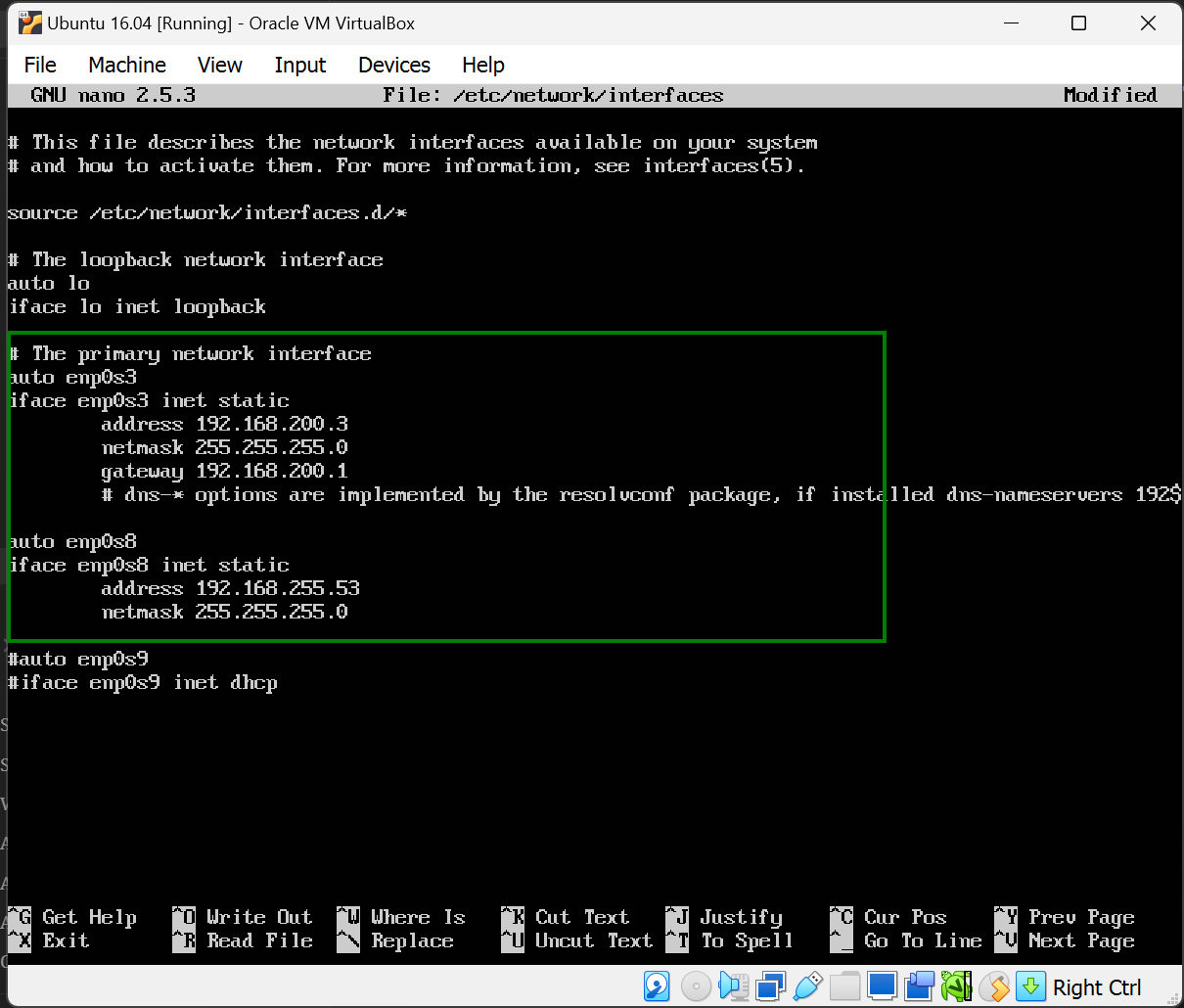
NOTE: If you forget to add the gateway (ip address of the new gateway interface) has shown above, there’ll be a connection error.
-
Save configuration Press control x, type y when prompted and hit enter to save.
-
Apply configuration.
sudo systemctl restart networking
gs you can do with the Markdown editor
 Setting Up an Ubuntu Server Gateway Router