INTEGRATING CORTEX MISP AND THEHIVE
REQUIREMENT
- Active theHive VM
- Active Cortex VM
- Active MISP VM.
STEPS
VM SETUP
- Install theHive4 on CentOS
- Install cortex on an Ubuntu22.04 server
- Install MISP on an Ubuntu24.04 a prebuilt VM
INTEGRATION
MISP SETUP FOR INTEGRATION
Create an Organization on MISP
Click "administration"
Click "add organization"
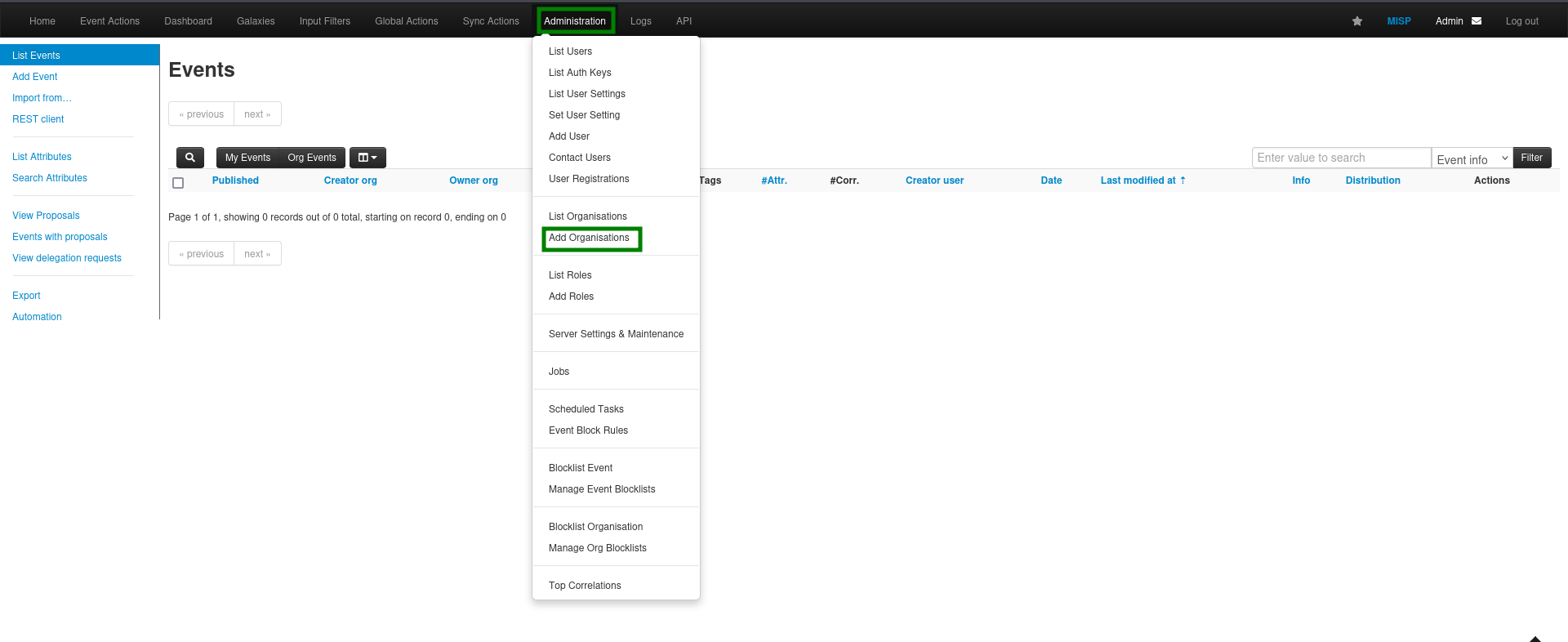
Enter Organization details as desired
Generate UID
Click "Submit"
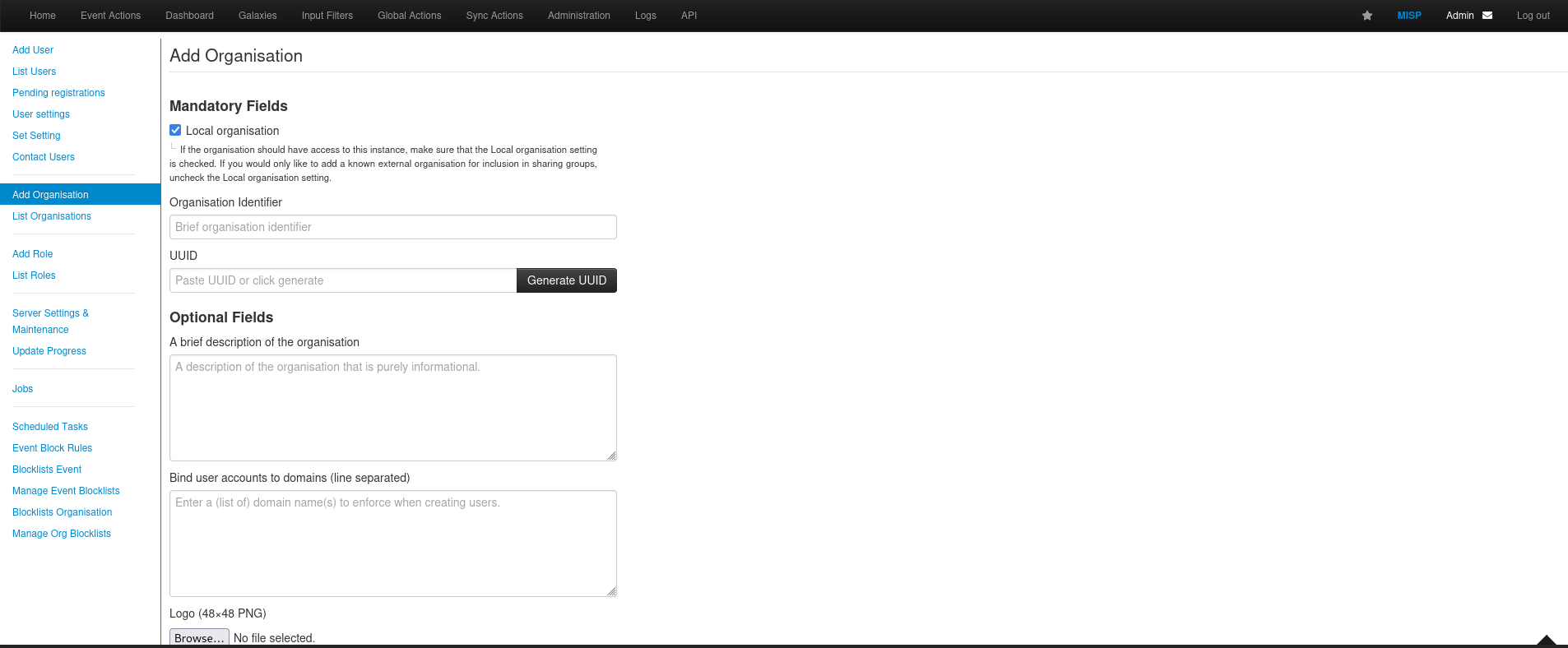
Add User to Organization
Click on "administration"
Click "Add user"
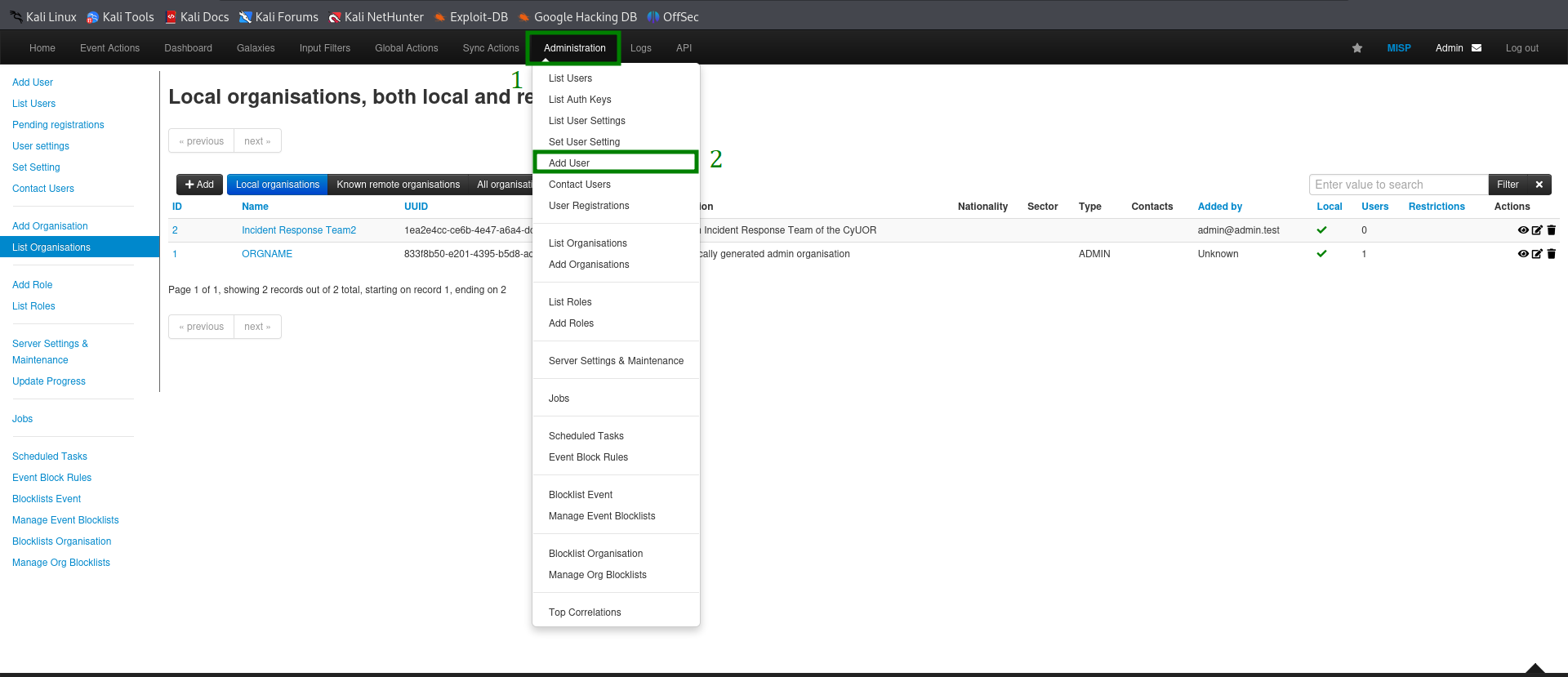
Enter User details
Chose the created organization
Set user role
click "create"
NOTE: It is required that you enter your login in an email format. example:user@organizationname.local
Create an Auth Key
Click on the view icon at the righthand side of the user

Click on "Auth Keys"
Click "Add Authentication Key"
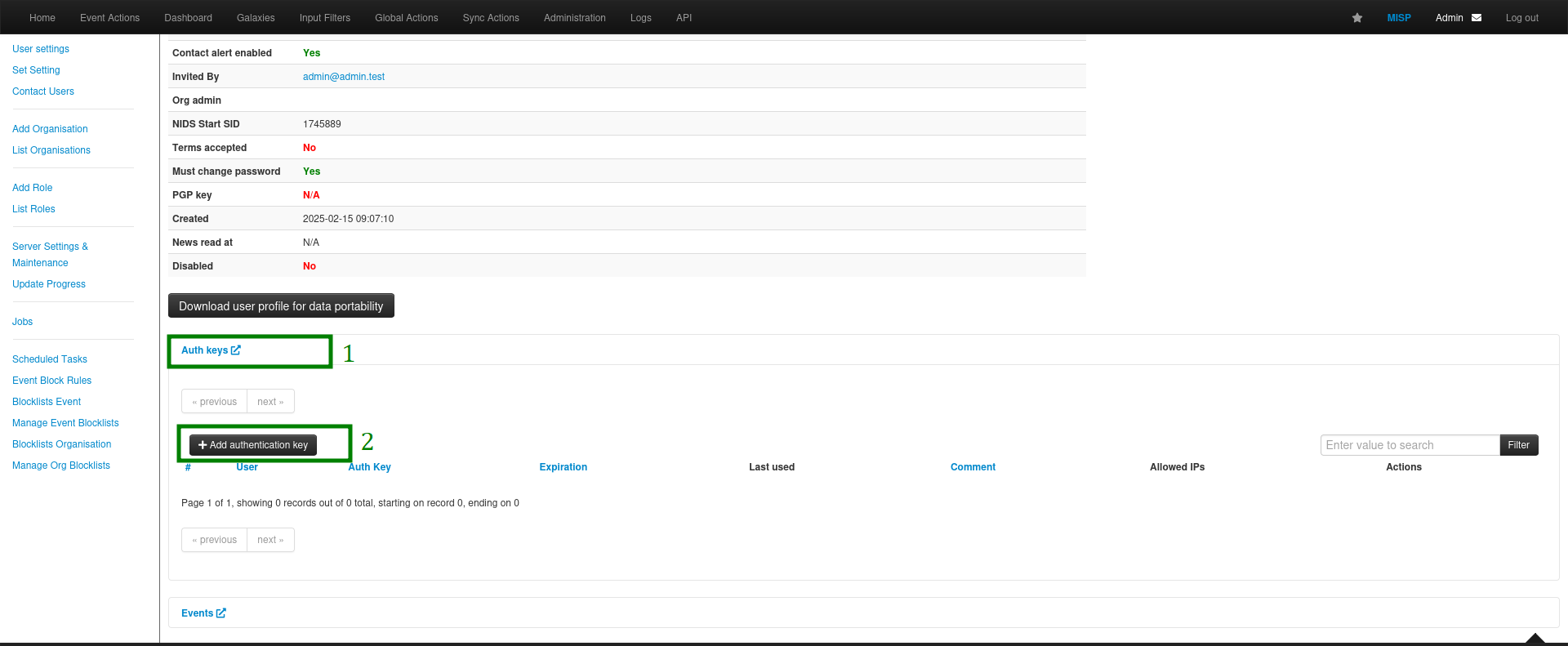
Enter details as desired.
click submit.
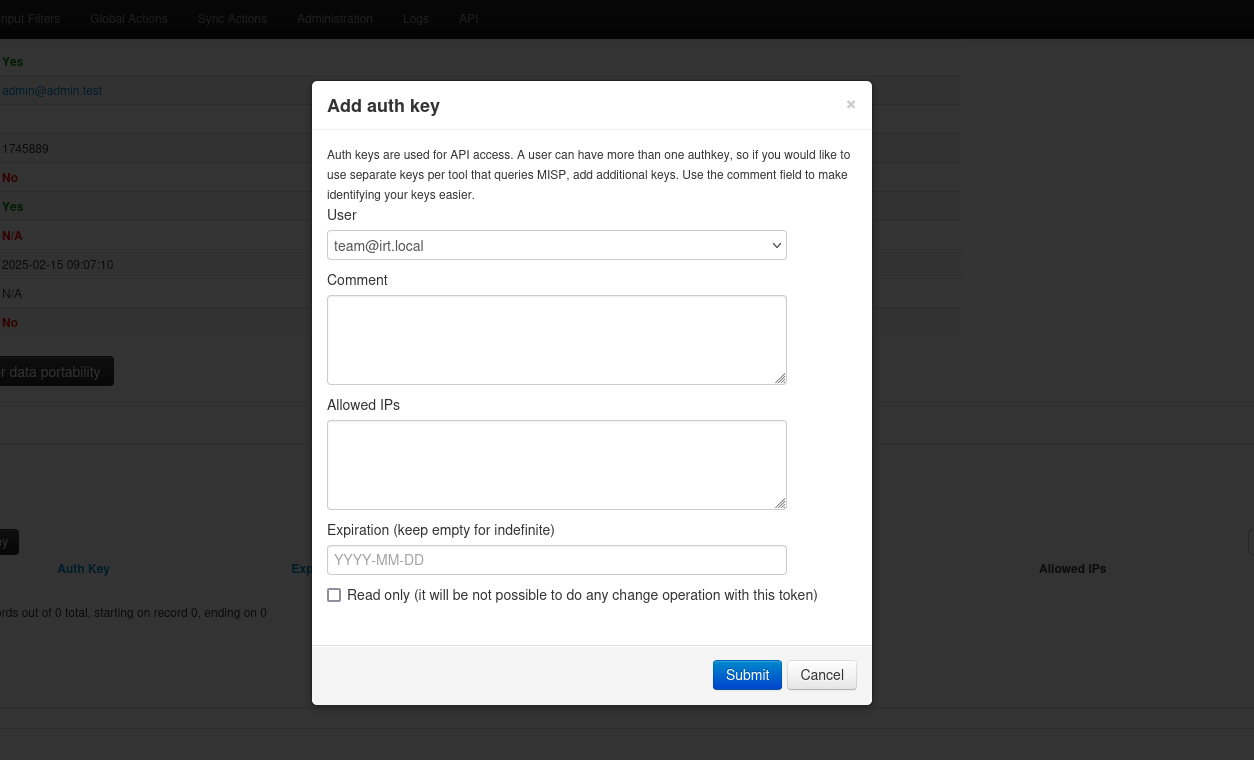 Depending on desired level of restriction, you can add allowed IP addresses and also set a read only token.
NOTE: Setting a read-only will determine if user can only read content on MISP or also post on it.
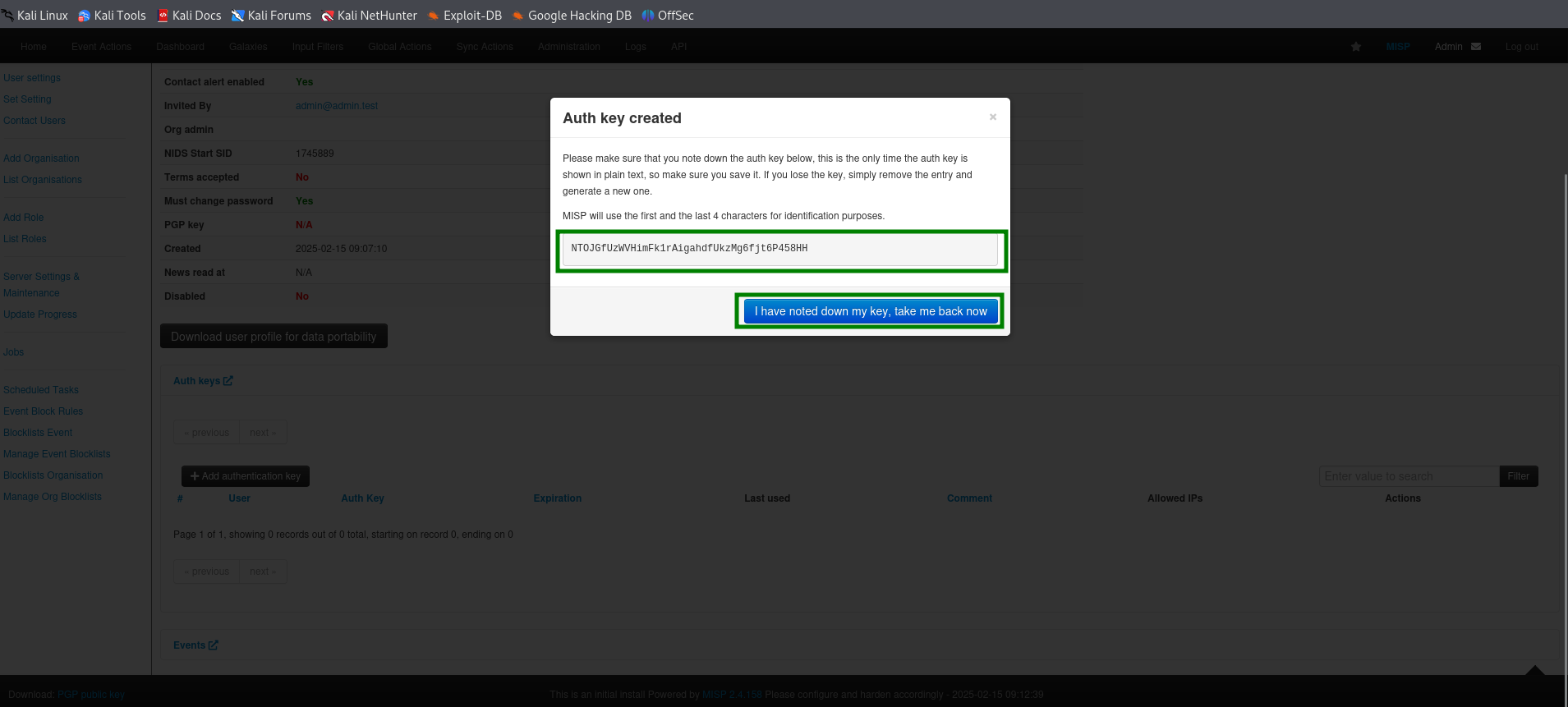
Copy the displayed authkey
Click "I have noted down my key, take me back now"
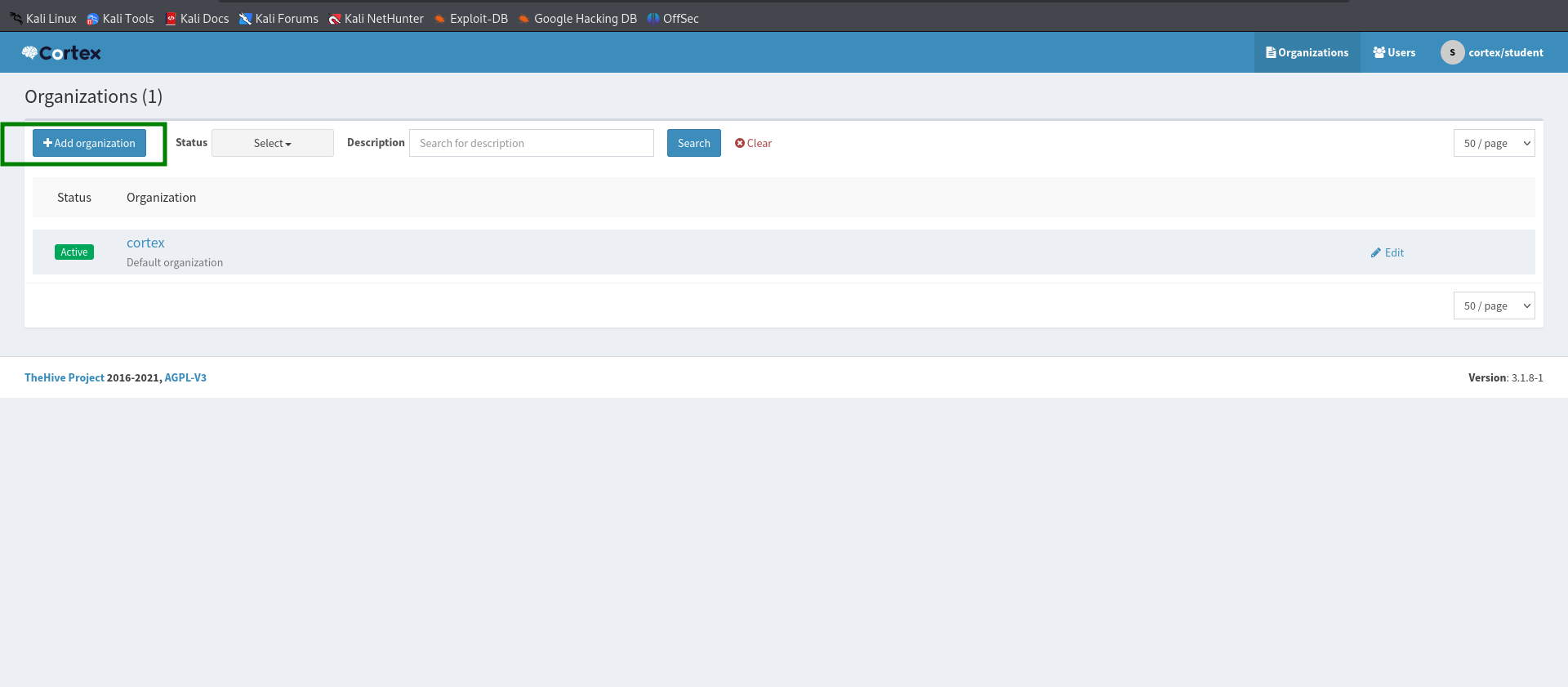
CORTEX SETUP FOR INTEGRATION Add Organization
Click "Add organization"
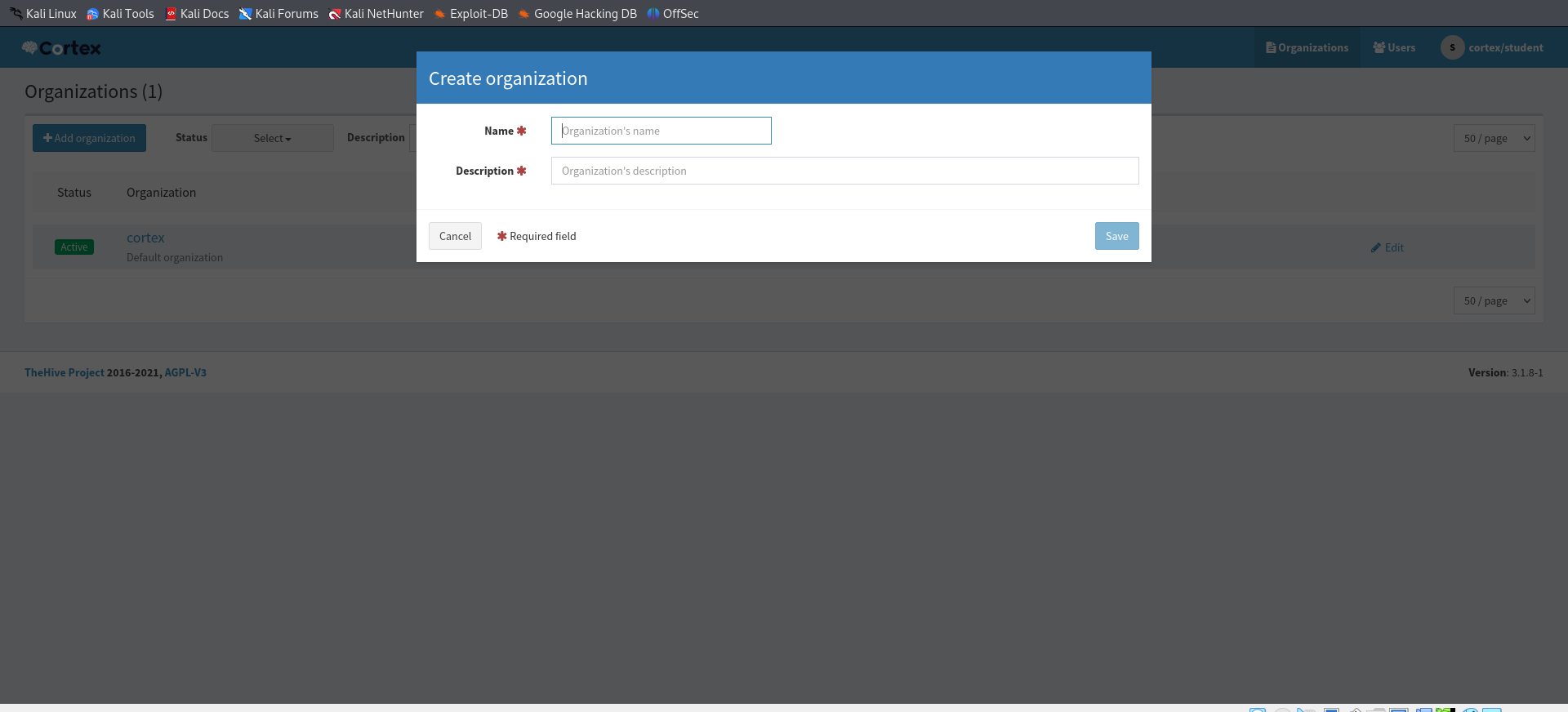
Enter Organization details
Add User
Click on "users"
Click "Add users"
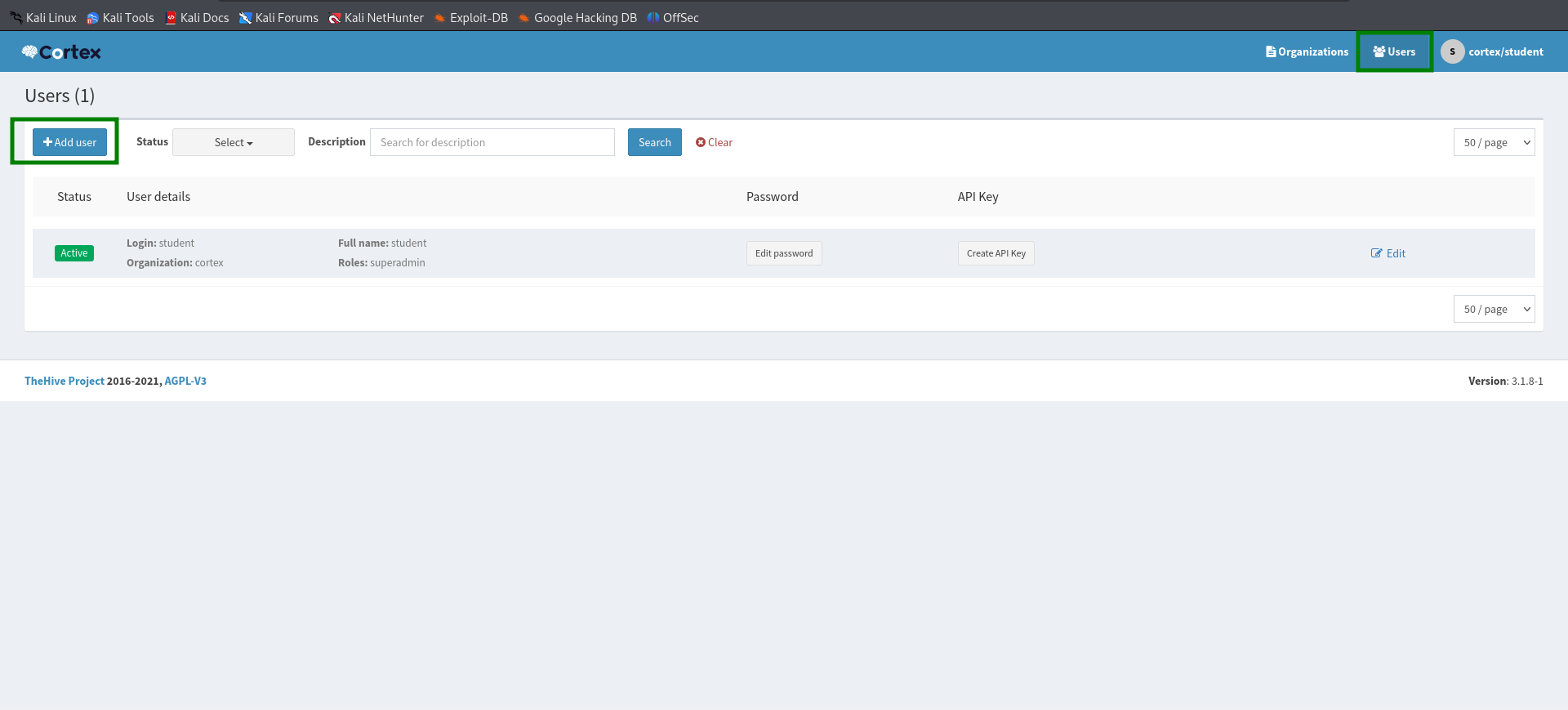
Enter the user details as desired
Click "save user"
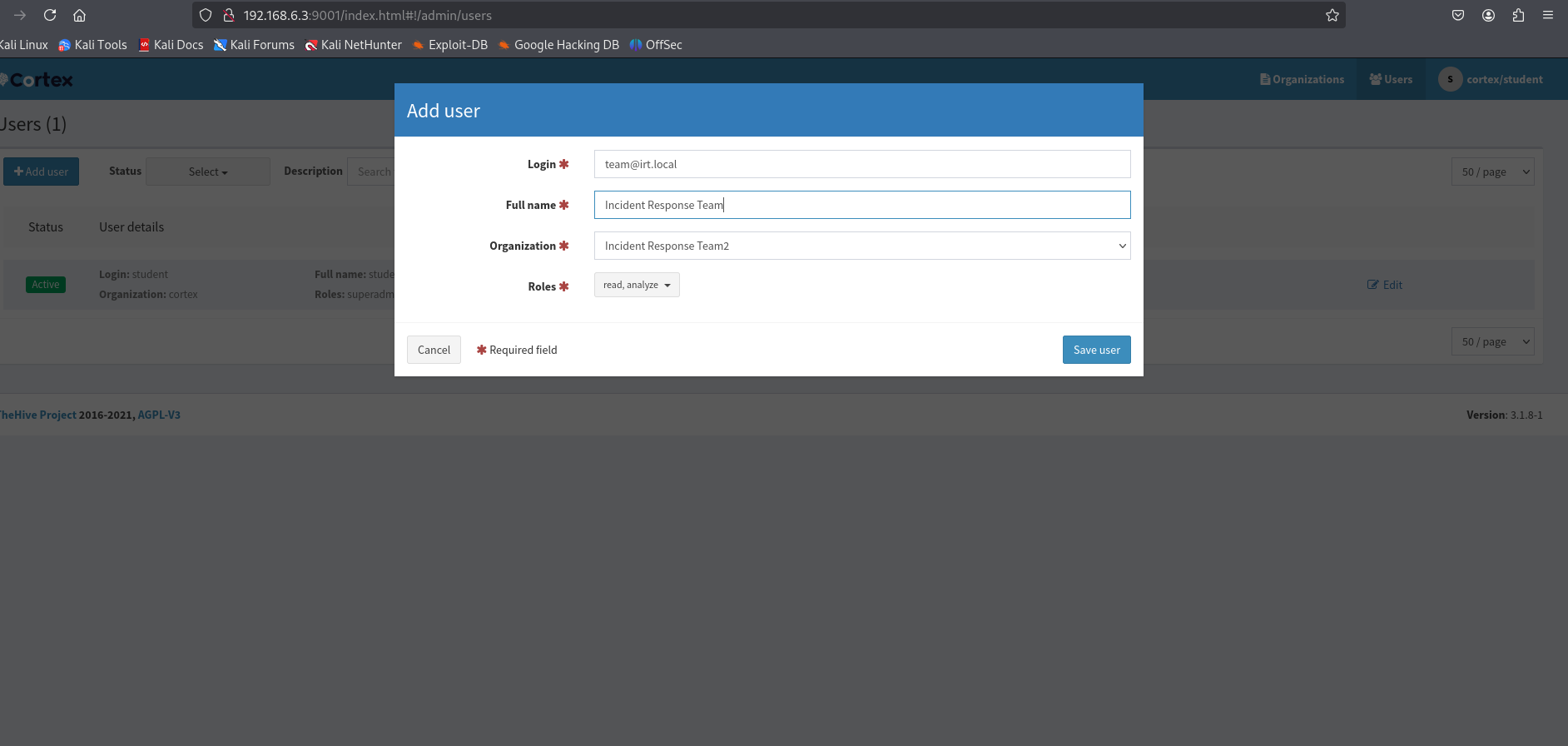
Create user password
Click "new password"
Enter password
press Enter.
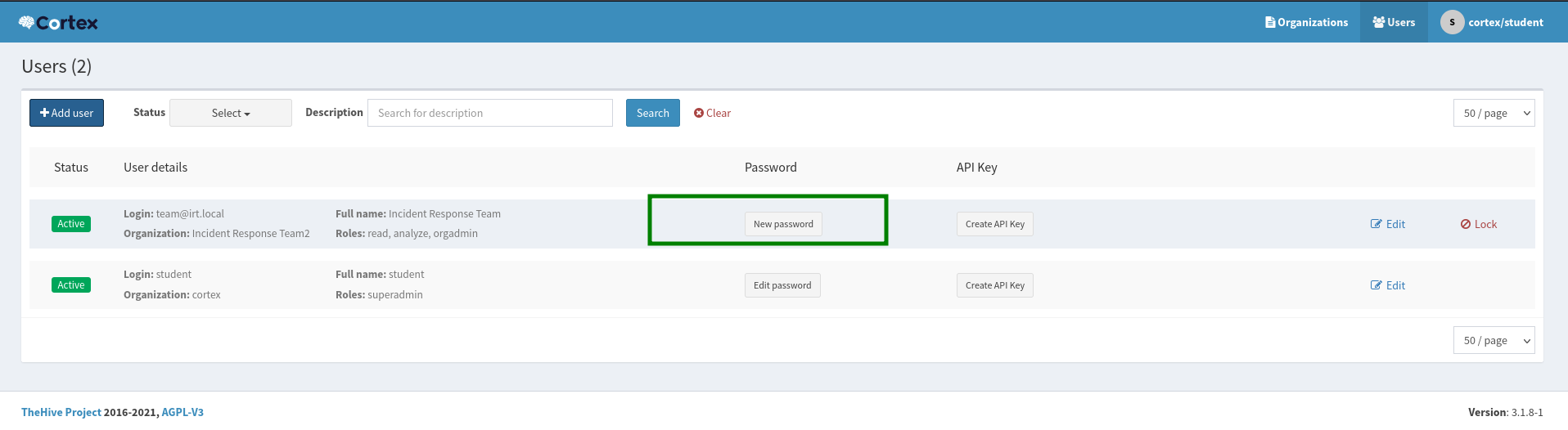
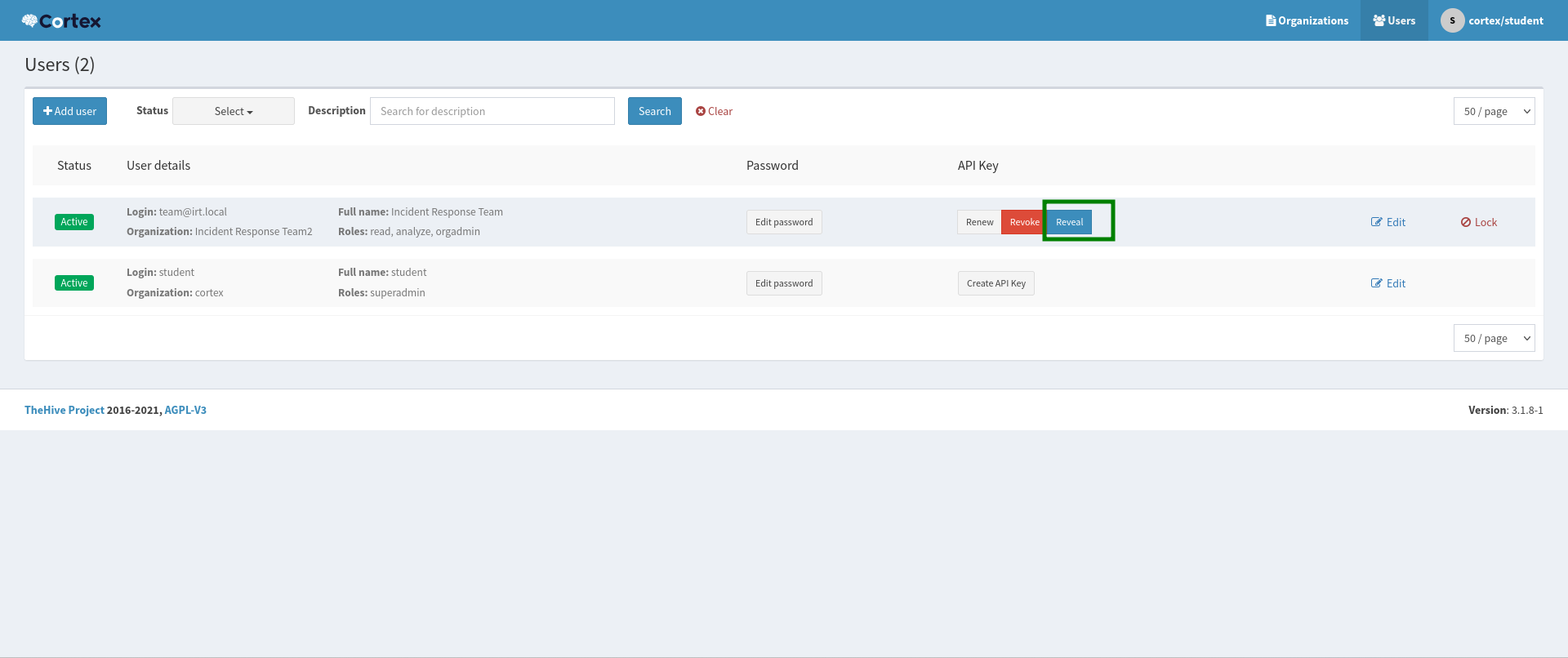
Create API Key
Click "Create API Key"
Click "reveal" to see the API Key
INTEGRATION ON THEHIVE
Add Cortex Integration to thehive configuration file
Enter this comand
sudo nano /etc/thehive/application.conf
Add the following configuration
play.modules.enabled += org.thp.thehive.connector.cortex.CortexModule
cortex {
 Servers: [
    {
        name: "CORTEX-SERVER"
        url: "<cortex ip address>:9001"
        auth {
            type: "bearer"
            key: "<put the generated key here>"
        }
        wsConfig {}
    }
 ]
}
Add MISP Integration
play.modules.enabled += org.thp.thehive.connector.misp.MispModule
misp {
 interval: 1 hour
 Servers: [
    {
        name = "MISP"
        url =  "<cortex ip address/>"
        auth {
            type =  "bearer"
            key =  "<put the generated key here>"
        }
        wsConfig {}
            wsConfig.ssl.loose.acceptAnyCertificate: true
            tags = ["misp"]
            caseTemplate = "MISP-EVENT"
    }
 ]
}
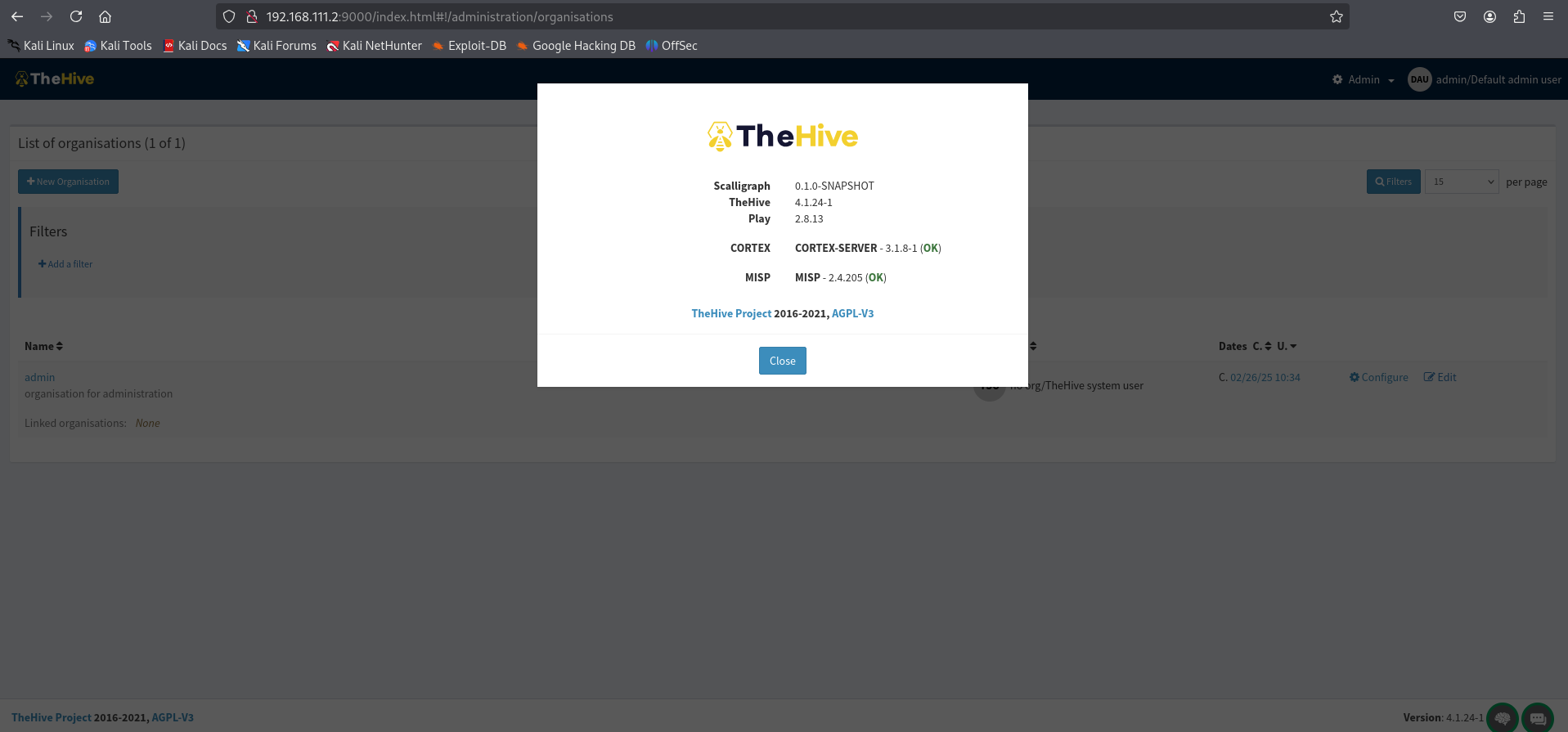
Confirm Both MISP and Cortex Integration
Login to Hive dashboard
Click on the Username at the top right corner
Click about
 Installing cortex on Ubuntu22.4