
INSTALLING THEHIVE ON CENTOS
THEHIVE
NOTE: This is an instruction for installing TheHive on CentOS.
REQUIREMENTS
- CentOS vm
- Java Installation
- Apache Cassandra Installation
- Elasticsearch Installation
- Thehive Installation.
STEPS
JAVA INSTALLATION
Run this command to install Java
sudo yum install -y java-1.8.0-openjdk-headless.x86_64
echo JAVA_HOME="/var/lib/jvm/jre-1.80">> /etc/environment JAVA_HOME="/usr/lib/jvm/jre-1.8.0"
APACHE CASSANDRA INSTALLATION
Download Cassandra Key
rpm --import https://downloads.apache.org/cassandra/KEYS
Apache Repository Addition for Cassandra
/etc/yum.repos.d/cassandra.repo
Enter the below configuration
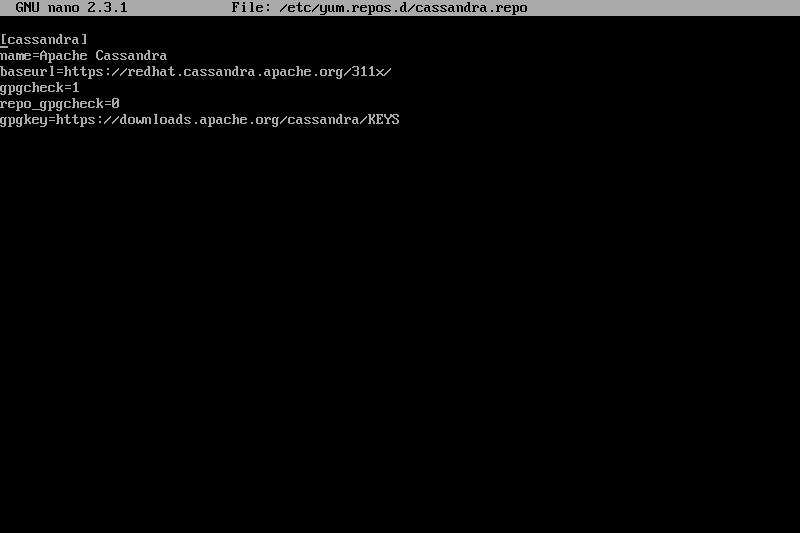
POSSIBLE PROBLEM: gpgkey refusing to work.
SOLUTION: Install without gpgkey
Install Without Key
yum clean all
yum makecache
yum install cassandra -y -nogpgcheck
Configure Cassandra
sudo nano /etc/cassandra/default.conf/cassandra.yaml
Add the following to your configuration
cluster_name: 'thp'
seeds: "vm ip address"
listening_address: vm address
rpc_address: vm address
rpc_port:9160
Enable and Restart Cassandra
 sudo systemctl enable cassandra
 sudo systemctl restart cassandra
ELASTICSEARCH INSTALLATION
Create Elasticsearch Repo
 rpm --import https://artifacts.elastic.co/CPG-KEY-elasticsearch

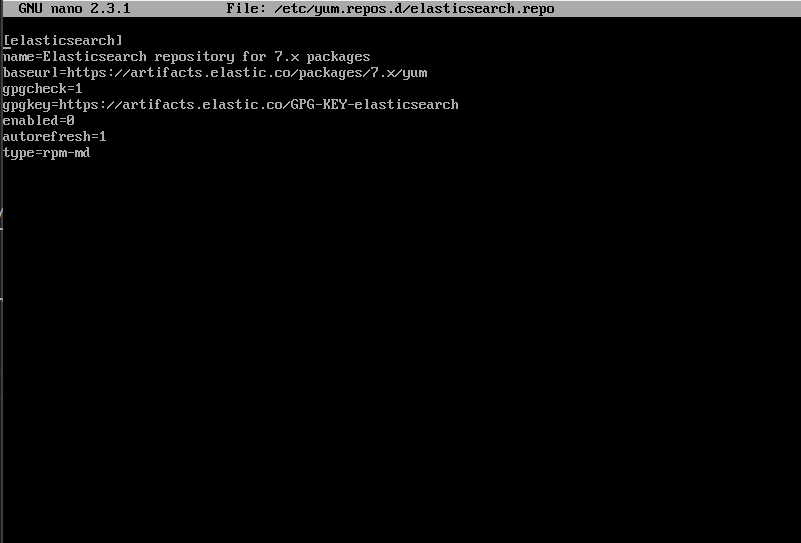
 sudo nano /etc/yum.repos.d/elasticsearch.repo
Enter Configuration
Make Cache
yum makecache
Install Elasticsearch
sudo yum install --enablerepo=elasticsearch elasticsearch
Configure Elasticsearch
sudo nano /etc/elasticsearch/elasticsearch.yml
 node.name: hive-mode
 path.data: /var/lib/elasticsearch
 path.logs: /var/log/elasticsearch
 thread_pool.search.queue_size: 100000
 network.host:vm-ip
 http.port:9200
 discovery.type: single-node
Set Permissions
sudo chown -R elasticsearch:elasticsearch /etc/elasticsearch
sudo chmod -R 755 /etc/elasticsearch
Enable and Restart Elasticsearch
sudo systemctl enable elasticsearch
sudo systemctl restart elasticsearch
THEHIVE INSTALLATION
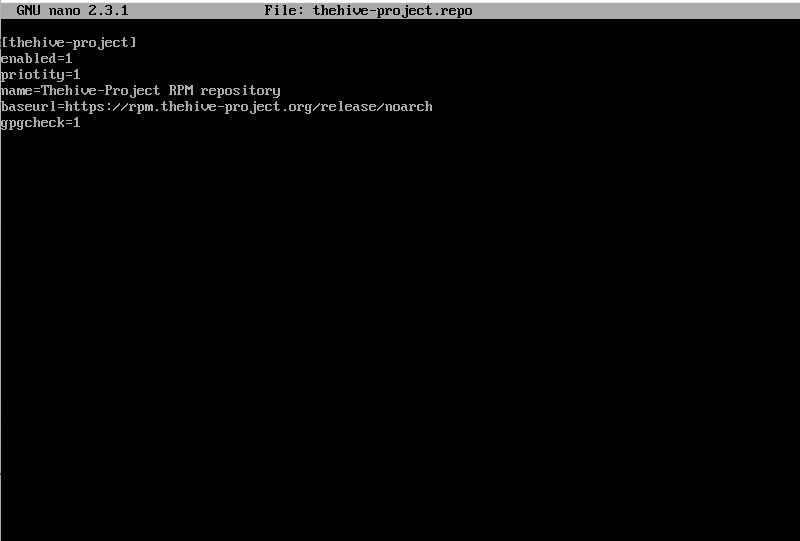
Create Thehive Repo
/etc/yum.repos.d/strangebee.repo
Add the below configuration
Install Thehive4
yum install thehive4 --nogpgcheck
Create Local Storage Directory
sudo mkdir -p /opt/thp/thehive/files
Change Directory Ownership
chown -R /opt/thp/thehive/files
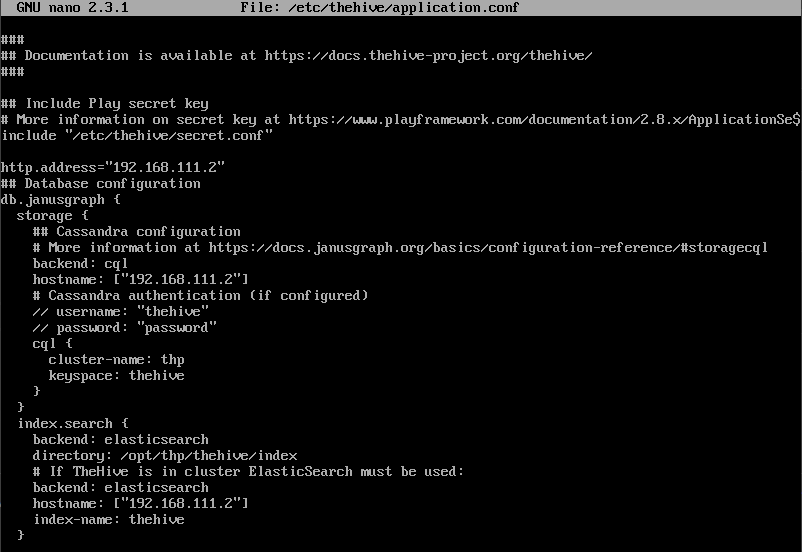
Configure Thehive
sudo nano /etc/thehive/application.conf
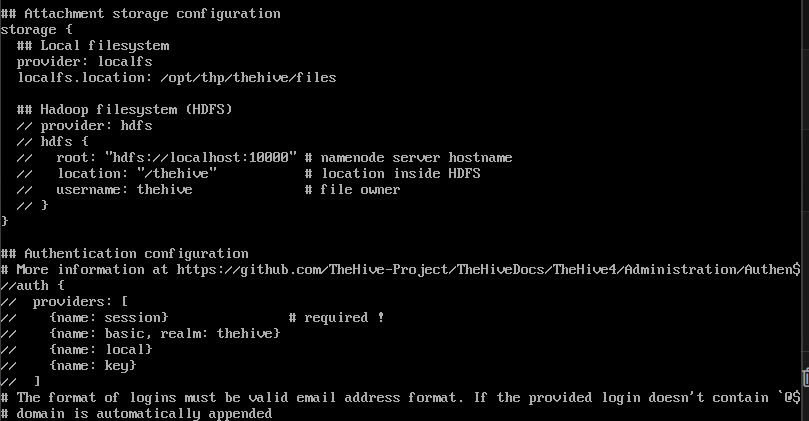
Enable and Restart thehive
sudo systemctl enable thehive
sudo systemctl restart thehive
Access Thehive Dashboard Using The Provided Login Data
Username: admin
Password: secret
 Installing CentOS vm on VirtualBox