
INSTALLING SURICATA ON UBUNTU 24.04
SURICATA
INSTALLATION PROCESS
STEP ONE: Run an update
sudo apt update
STEP TWO: Suricata Installation
sudo apt install suricata -y
Confirm the installation
suricata -V
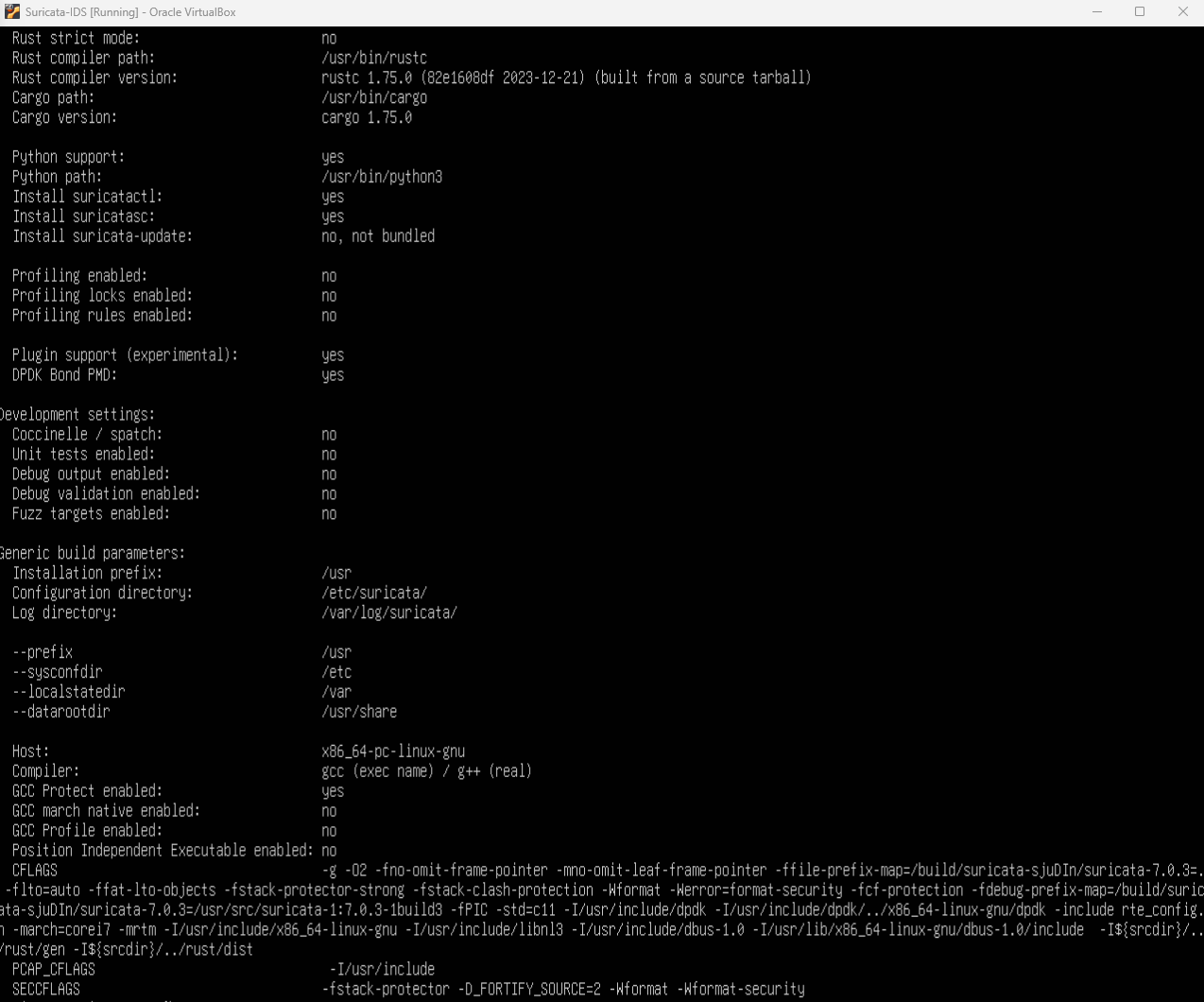
STEP THREE: Suricata Configuration
- Check your network interface before proceeding, to enable the right interface configuration.
ip a - Configure what interface to monitor.
sudo nano /etc/suricata/suricata.yaml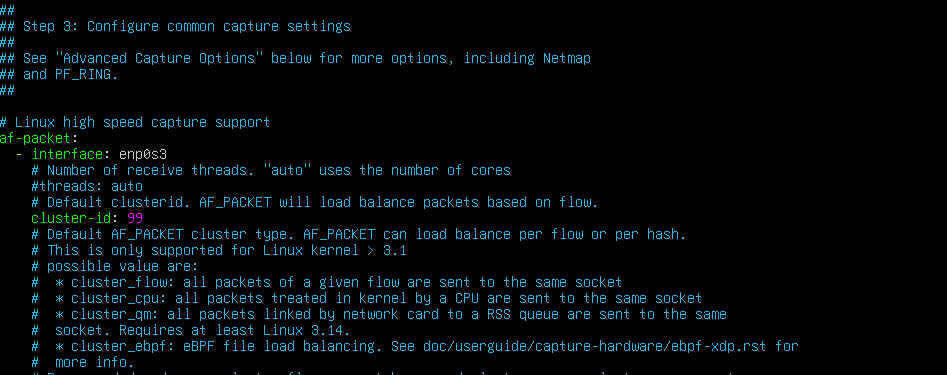
NOTE: In this situation, i am monitoring traffic on interface enp0s3
- Setup autostart This will save the stress of starting up the service manually at all times.
sudo nano /etc/systemd/system/suricata.service
Enter the configuration below
# Define the Suricata Systemd Unit
[Unit]
Description=Suricata IDS/IPS
After=network.target

#Specify the Suricata binary path, the configuration files location, and the network interface

[Service]
ExecStart=/usr/bin/suricata -c /etc/suricata/suricata.yaml -i enp0s3
[Install]

WantedBy=default.target
IMPORTANT: Do not forget to change the network interface accordingly.
Save the settings
ctrl x
press y
press Enter
Enable Suricata
sudo systemctl enable suricata
STEP FOUR: Start Suricata
NOTE: To prevent “No rule files match” error follow the below steps before starting the service
- Run Suricata Update
sudo suricata-update - Modify suricata.yaml configuration
sudo nano /etc/suricata/suricata.yamlEnsure you have the below configuration

- Start the service
sudo systemctl start suricata - Confirm Suricata is running
sudo systemctl status suricata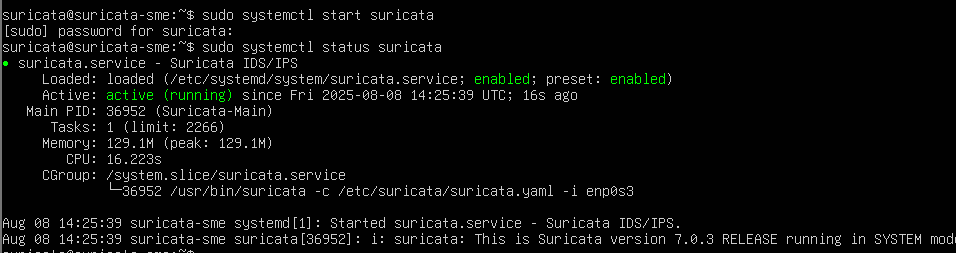
STEP FIVE: Testing
- Verify suricata functionality
sudo suricata -T c /etc/suricata/suricata.yaml -vThis command runs suricata in test mode (-T), allow the detection of configuration file (-c) and provide details about the command execution using verbose mode (-v)
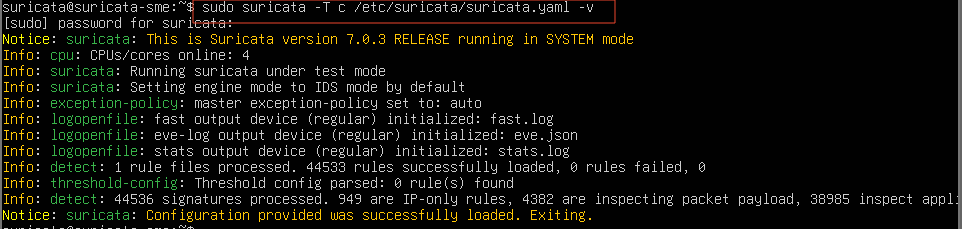
- Confirm that suricata can see traffic from endpoints
NOTE: All traffics from the endpoints must be route through suricata for it to see them.
On the server running the suricata, enter the below command
sudo tcpdump -i eth0
On the endpoints carry out activitites such as browsing or ping a website.
- Run the below command on the server running the suricata.
sudo tcpdump -i enp0s3 host testmynids.orgNOTE: enp0s3 is the monitored interface so change yours accordingly.
On the endpoint, run
curl http://testmynids.org/uid/index.html
YOU SHOULD GET RESPONSE ON SURICATA IF
COMMON ISSUE: Not getting response due to ISP (Internet service provider) blocking or preventing ICMP ping is common. This can be overcomed using several methods such as using a VPN.
 Installing Kibana on Ubuntu 24.04